Extract Specific Pages from Your PDF in Seconds
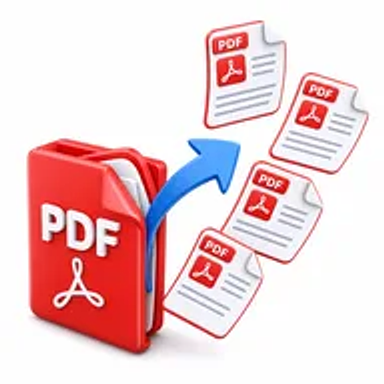
Need only a few pages from a PDF? Hemiley's Extract Pages tool lets you extract PDF pages online without affecting the original document. Simply upload your PDF, select the pages you need, and download them as a new PDF in just a few clicks.
About Extract Pages
Large PDF files often contain information you don't need to share or save. Instead of sending the entire document, Hemiley's Extract Pages tool allows you to create a new PDF containing only the pages you choose.
Whether you're working with reports, contracts, presentations, invoices, eBooks, or study materials, you can quickly extract pages from PDF files while preserving the original formatting and quality.
Everything works securely in your browser with no software installation required.
Key Features of Extract Pages
- Extract PDF pages online for free
- Save selected pages as a new PDF
- Preserve the original formatting
- Fast browser-based processing
- No software installation required
- Secure document handling
- Works on Windows, macOS, Android, and iPhone
- Easy page selection interface
How to Use Extract Pages
- Upload your PDF document.
- Select the pages you want to extract.
- Click Extract Pages.
- Download your new PDF containing only the selected pages.
Looking for more pdf tools? Explore the PDF Tools hub or the full free online tools directory.
Why Choose Hemiley?
Hemiley makes PDF editing simple and efficient.
Whether you need one page or several pages from a document, our Extract Pages tool helps you create a separate PDF in just a few clicks while maintaining your document's original quality.
Benefits
- Extract only the pages you need
- Share smaller PDF documents
- Organize large PDF files easily
- Preserve document quality
- Works on any device
- Completely free to use
Frequently Asked Questions
Is the Extract Pages tool free?
Yes. Hemiley's Extract Pages tool is completely free to use.
How do I extract pages from a PDF?
Upload your PDF, choose the pages you want to save, click Extract Pages, and download your new PDF.
Can I extract multiple pages at once?
Yes. You can extract one page, multiple pages, or a range of pages into a new PDF document.
Will the original PDF be modified?
No. Your original PDF remains unchanged. A new PDF is created using the pages you select.
Can I extract PDF pages on my phone?
Yes. Hemiley works on desktops, tablets, and smartphones.
Do I need to install any software?
No. Everything works directly in your web browser.
Extract the Pages You Need
Create a new PDF using only the pages you want with Hemiley's fast and secure Extract Pages tool.