Scan Documents and Save Them as PDF in Seconds
Turn paper documents into high-quality PDF files with Hemiley's Scan to PDF tool. Whether you're scanning receipts, contracts, invoices, notes, or certificates, you can quickly create professional PDF documents directly from your device without installing additional software.
About Scan to PDF
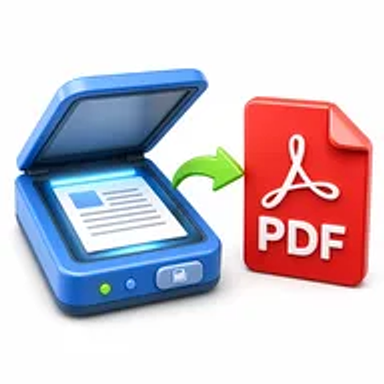
Scanning documents into PDF format is one of the easiest ways to digitize paperwork while keeping files organized and easy to share. Hemiley's Scan to PDF tool helps you convert paper documents, printed pages, and scanned images into high-quality PDF files directly from your browser.
Whether you're working from home, in the office, or studying, our tool makes document management simple, secure, and accessible from any device.
Key Features of Scan to PDF
- Scan documents directly to PDF
- Create high-quality PDF files
- Fast browser-based processing
- Preserve document clarity
- No software installation required
- Secure file handling
- Compatible with desktop, tablet, and mobile devices
- Simple and intuitive interface
How to Use Scan to PDF
- Open the Scan to PDF tool.
- Scan your document using your device's camera or upload an existing scanned image.
- Review and adjust your document if needed.
- Click Convert to PDF.
- Download your PDF instantly.
Looking for more pdf tools? Explore the PDF Tools hub or the full free online tools directory.
Why Choose Hemiley?
Hemiley makes document digitization quick and hassle-free.
Our Scan to PDF tool is designed to help students, professionals, businesses, and individuals create PDF documents from scanned files in just a few clicks. Everything works securely in your browser without requiring additional software.
Benefits
- Digitize paper documents quickly
- Create professional PDF files
- Easy document sharing
- Preserve document quality
- Works across all devices
- Completely free to use
Frequently Asked Questions
Is the Scan to PDF tool free?
Yes. Hemiley's Scan to PDF tool is completely free.
How do I scan documents to PDF?
Open the tool, scan your document using your device or upload a scanned image, then convert it into a PDF and download the file.
Can I convert a scanned document to PDF?
Yes. Hemiley allows you to convert scanned documents into PDF files while maintaining good quality.
Can I scan documents using my phone?
Yes. You can use your smartphone camera to scan documents and save them as PDFs.
Do I need to install any software?
No. Everything works directly in your browser.
Will my scanned document remain clear?
Yes. Hemiley preserves document quality to help ensure your PDF is readable and easy to share.
Turn Paper Documents into PDFs Instantly
Scan documents and create high-quality PDF files in just a few clicks with Hemiley.