Rearrange PDF Pages the Way You Want
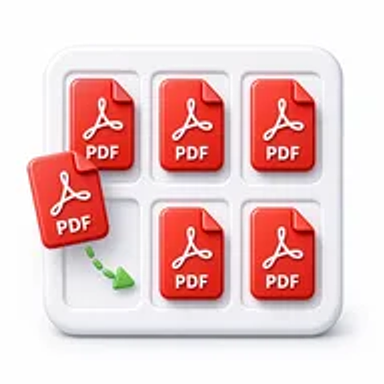
Need to reorder pages in a PDF document? Hemiley's Organize PDF tool lets you arrange, move, and organize PDF pages online in just a few clicks. Upload your document, drag pages into the correct order, and download your updated PDF instantly.
About Organize PDF
Keeping PDF documents well organized makes them easier to read, share, and manage. Whether you need to reorder presentation slides, rearrange contract pages, organize reports, or fix the page sequence in study materials, Hemiley's PDF Organizer makes the process simple.
With our browser-based tool, you can organize PDF pages without installing software while preserving your document's original formatting and quality.
Key Features of Organize PDF
- Organize PDF pages online for free
- Rearrange pages with a simple drag-and-drop interface
- Reorder pages without affecting document quality
- Fast browser-based processing
- No software installation required
- Secure document handling
- Compatible with Windows, macOS, Android, and iPhone
- Simple and user-friendly interface
How to Use Organize PDF
- Upload your PDF document.
- Drag and rearrange the pages into your preferred order.
- Click Organize PDF.
- Download your reorganized PDF instantly.
Looking for more pdf tools? Explore the PDF Tools hub or the full free online tools directory.
Why Choose Hemiley?
Hemiley is built to simplify everyday PDF tasks.
Our Organize PDF tool helps you rearrange pages quickly while maintaining your document's formatting and quality. Whether you're organizing business documents, school assignments, or personal files, everything happens securely in your browser.
Benefits
- Rearrange PDF pages in seconds
- Improve document organization
- Keep reports and presentations properly ordered
- Preserve original formatting
- Works on all devices
- Completely free to use
Frequently Asked Questions
Is the Organize PDF tool free?
Yes. Hemiley's Organize PDF tool is completely free to use.
How do I organize PDF pages?
Upload your PDF, drag the pages into the order you want, click Organize PDF, and download your updated document.
Can I rearrange multiple pages?
Yes. You can move one page or multiple pages until your document is organized exactly how you want it.
Will organizing pages affect the quality of my PDF?
No. Your document keeps its original formatting and quality.
Can I organize PDF pages on my phone?
Yes. Hemiley works on desktops, tablets, and smartphones.
Do I need to install software?
No. Everything works directly in your browser.
Organize Your PDF in Seconds
Rearrange PDF pages quickly and securely with Hemiley's free online PDF Organizer.